一篇文章带你手搓unity小游戏
1.新建项目

2.场景搭建
-
先创建一个平台,因为小球要在平台上面跑


-
然后搞一手材质


-
创建一个小球-命名为Player

-
小球高度改一下

-
创建一个脚本文件夹

-
创建一个C#脚本-命名为Player


-
进入C#编写代
using System.Collections;
using System.Collections.Generic;
using UnityEngine;

//玩家小球脚本
public class Player : MonoBehaviour
{
    [Header("移动设置")]
    //定义小球速度
    public float speed = 5f;
    //定义弹跳高度
    public float jumpForce = 1.5f;
    //冲刺速度倍率
    public float speedMu = 2f;

    [Header("组件引用")]
    //引入脚本挂载对象上的角色控制器对象
    private CharacterController controller;

    [Header("跳跃设置")]
    //拿到小球的Vector3空间坐标对象
    private Vector3 playerVector;
    //是否跳跃标记
    private bool isGrounded = true;
    void Start()
    {
        //给小球添加角色控制器组件
        controller = this.gameObject.AddComponent();
    }

    // Update is called once per frame
    void Update()
    {
        //在游戏帧更新中监听这两个方法-其实就是每帧执行
        Move();
        Jump();
    }

    /**
     * 角色移动方法c#的规范好像是方法名大写开头
     */
    void Move()
    {
        //
        float horizontal = Input.GetAxis("Horizontal");
        float vertical = Input.GetAxis("Vertical");


        Vector3 movement = new Vector3(horizontal, 0f, vertical);

        //捕获键盘LeftShift按下则改变movement小球的移动速率
        if (Input.GetKey(KeyCode.LeftShift))
        {
            movement *= speed * speedMu;
        }else
        {
            movement *= speed;
        }

        //角色控制器进行移动-每帧
        controller.Move(movement * Time.deltaTime);
    }

    /**
    * 跳跃方法
    */
    void Jump()
    {
        float maxJumpSpeed = 5f; // 限制最大上升速度
        //捕获键盘Space改变跳跃状态
        if (Input.GetKey(KeyCode.Space) && isGrounded)
        {
            //将当前小球的y轴位置进行移动
            playerVector.y = Mathf.Sqrt(jumpForce * -2f * Physics.gravity.y);

            // 限制跳跃速度不超过最大值
            if (playerVector.y > maxJumpSpeed)
            {
                playerVector.y = maxJumpSpeed;
            }
        }
        //这里好像是处理垂直上抛吧-和物理公式相关?
        playerVector.y += Physics.gravity.y * Time.deltaTime;
        controller.Move(playerVector * Time.deltaTime);
    }

    /**
     *  这个是unity的碰撞器触发回调函数-这里是只要碰到物体就证明可以进行跳跃
     * */
    private void OnControllerColliderHit(ControllerColliderHit hit)
    {
        isGrounded = true;
    }
}
码-这个是玩家的

-
创建相机脚本
-
代码
-
using System.Collections; using System.Collections.Generic; using UnityEngine; public class Cmaera : MonoBehaviour { [SerializeField] Transform target; //要跟随的目标 [SerializeField] Vector3 offset; //相对位置偏移-与目标的偏移量 [SerializeField] float tranSpeed; //相机平移速度 // Start is called before the first frame update private void Start() { //通过标签找到玩家场景游戏对象,并得到其Transform组件 target = FindObjectOfType().transform; } // Update is called once per frame private void LateUpdate() { //找得到那个玩家的话 if (target != null) { //计算相机目标位置-玩家位置+偏移量 Vector3 targetPosition = target.position + offset; //平滑移动相机位置-从当前位置到目标位置-按时间比例 transform.position = Vector3.Lerp(transform.position, targetPosition, tranSpeed * Time.deltaTime); } } } -
同样进行挂载
-
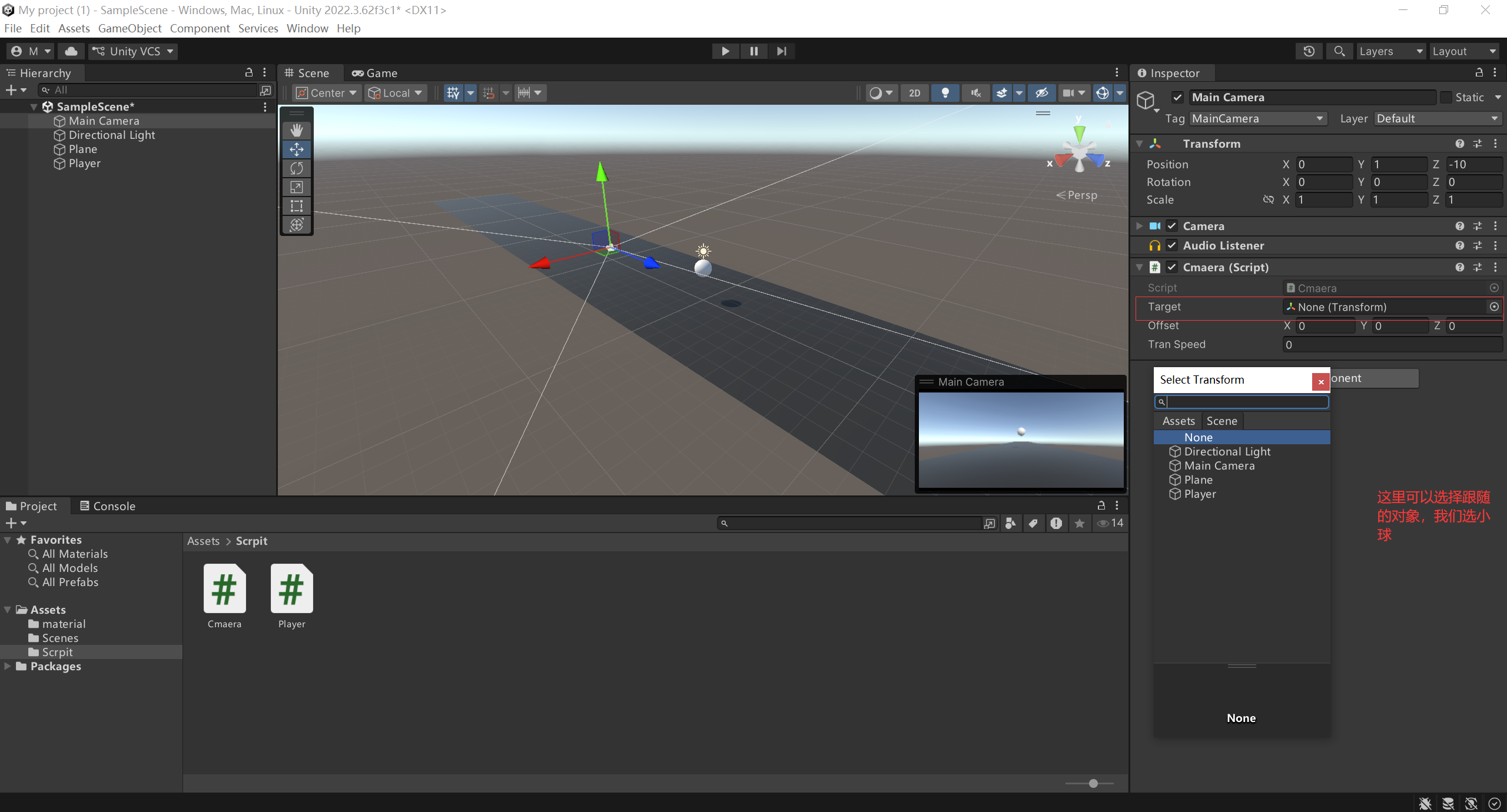
-
注入玩家对象
-
调整摄像机视角
-
然后运行游戏就大功告成了!!!